
We’re giving power back to the users and, as such, we’ve created this extension where admins can decide which user roles are worthy of adding, editing, or removing testimonials.
How to activate it?
The Strong Testimonials Role Management extension is a premium extension. In order to activate it, you will need to make sure that you have Strong Testimonials Pro installed and enabled, then also make sure that your license key is activated from Testimonials > Extensions. After confirming this, you only need to use the status switch from the extensions table to enable the feature.
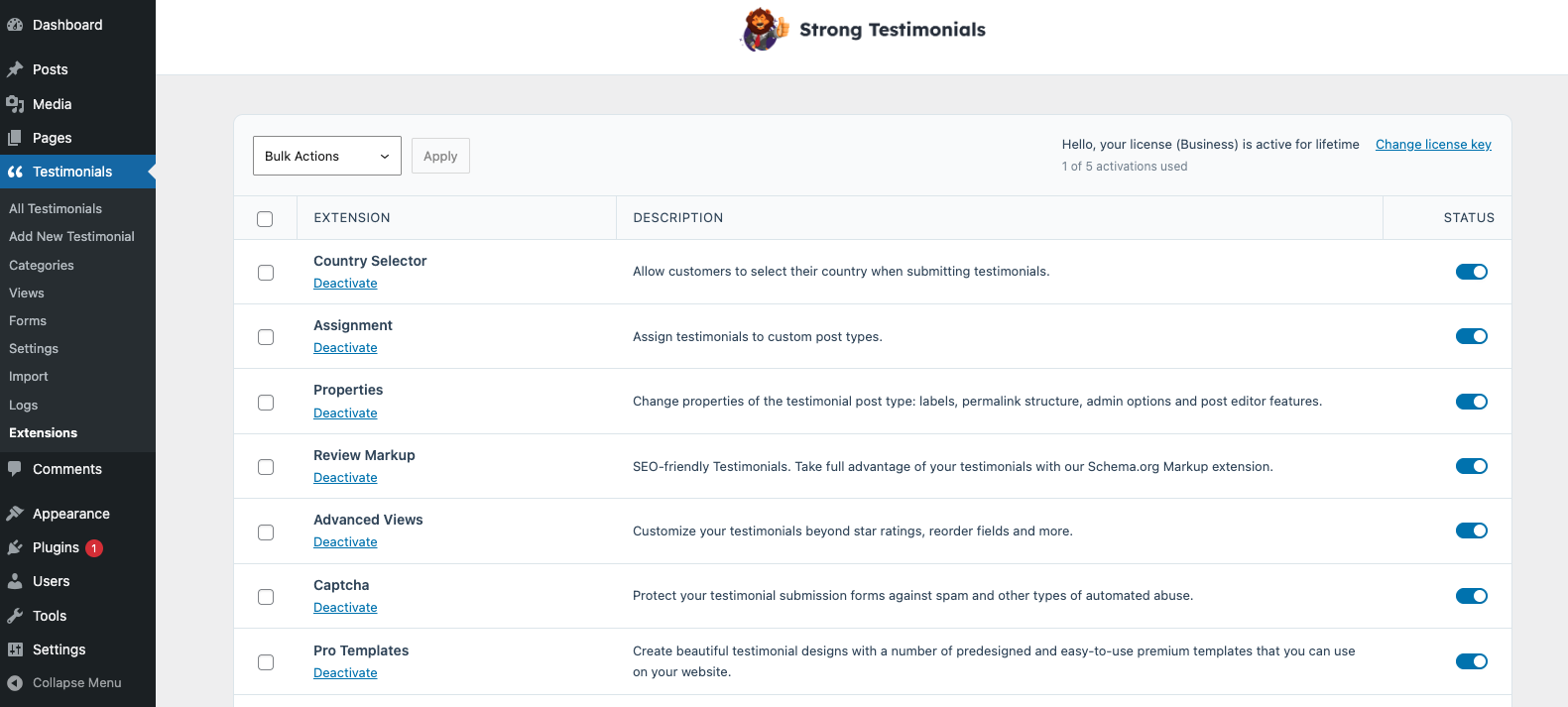
How to use it?
To use it you need to go to your WP dashboard > Testimonials > Settings > Role Management > you will see there all user roles and you can set permissions for each one.
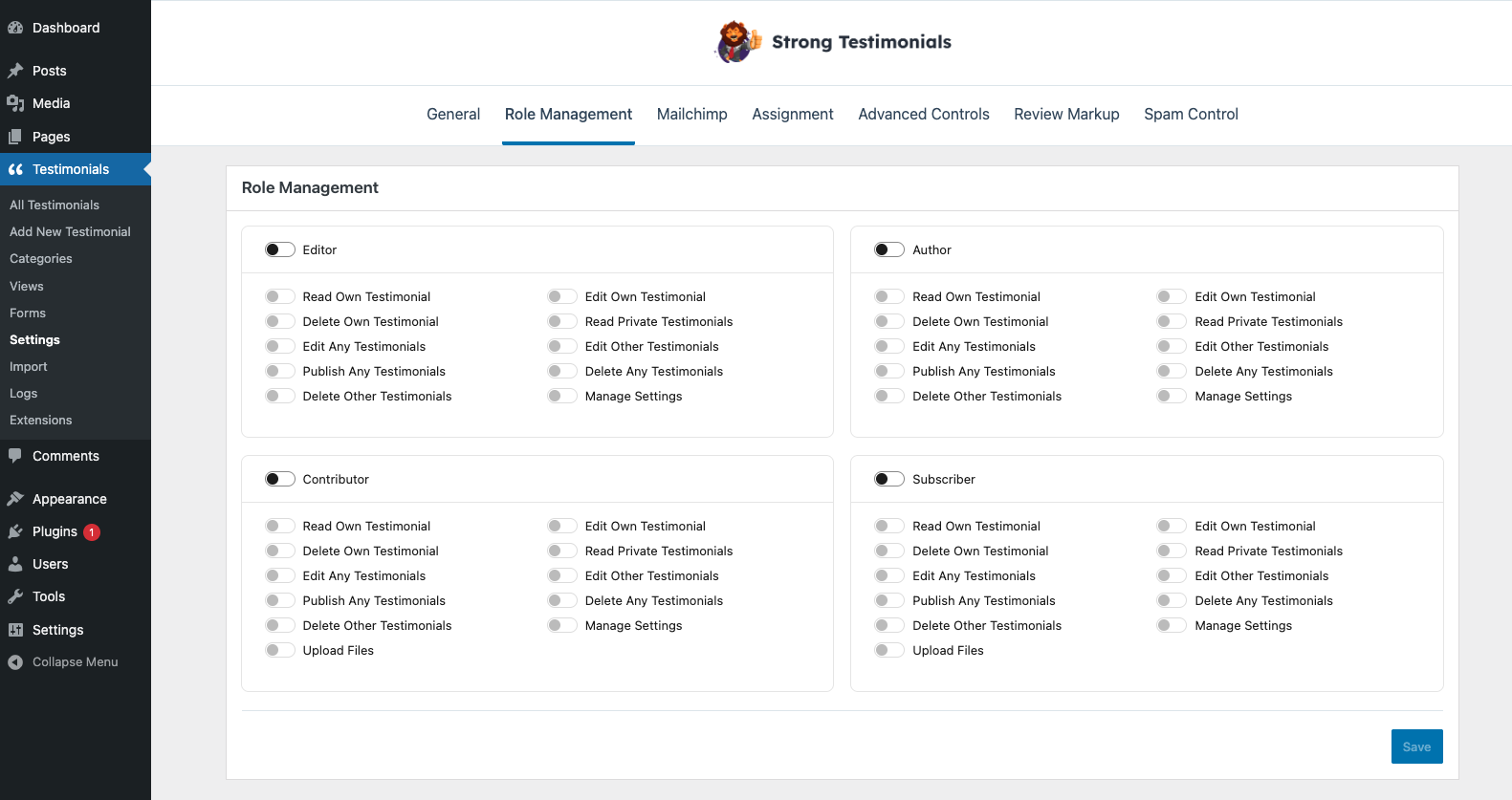
Permissions:
- Read Own Testimonial
- Edit Own Testimonial
- Delete Own Testimonial
- Read Private Testimonials
- Edit Any Testimonials
- Edit Other Testimonials
- Publish Any Testimonials
- Delete Any Testimonials
- Delete Other Testimonials
- Manage Settings
- Upload Files – will have access to the Media Library to upload/edit/delete media files.