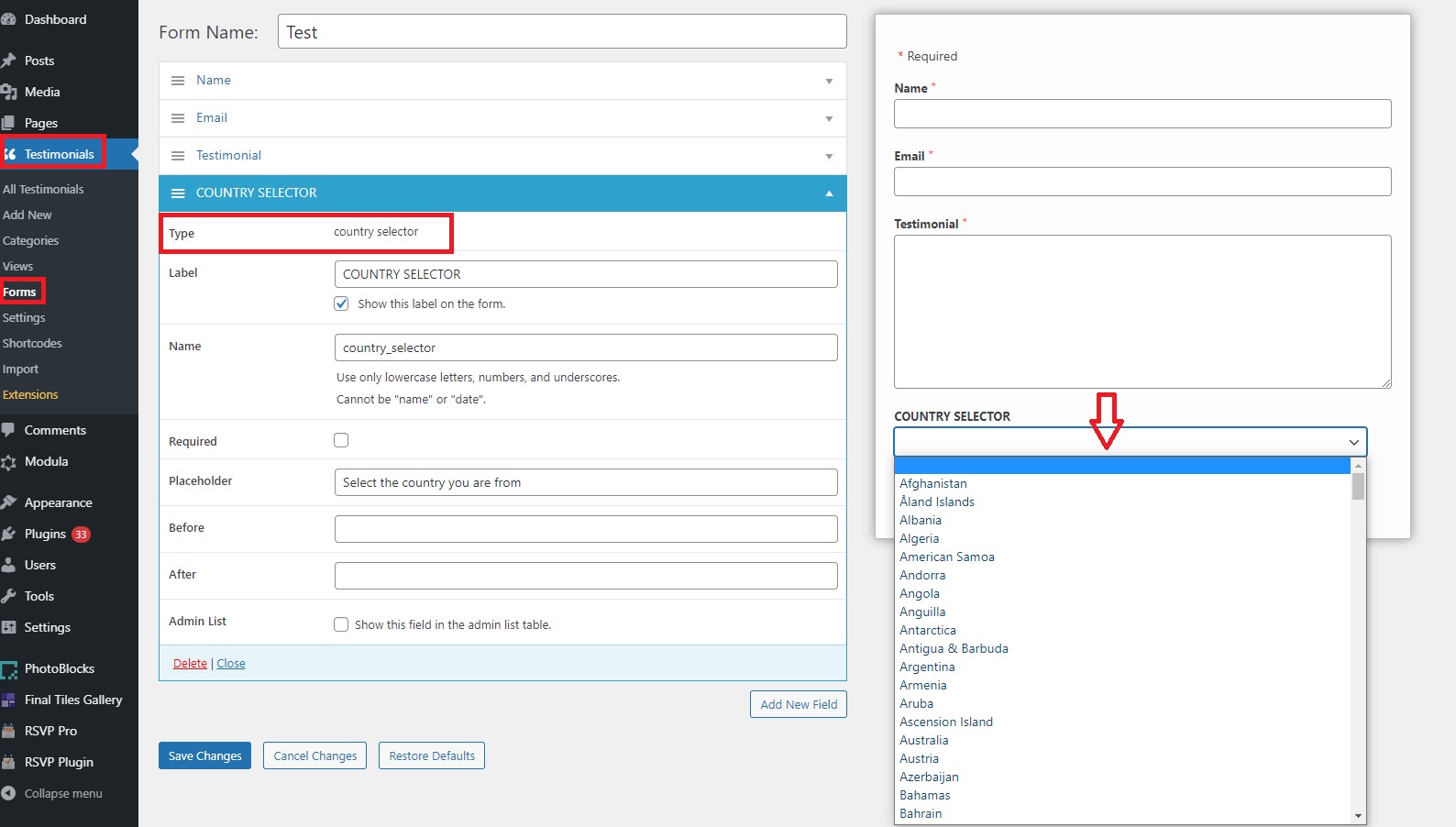
Easily add a form field to allow your customers to submit testimonials with their country information with the Strong Testimonials Premium Country Selector Add-on.
How to activate it?
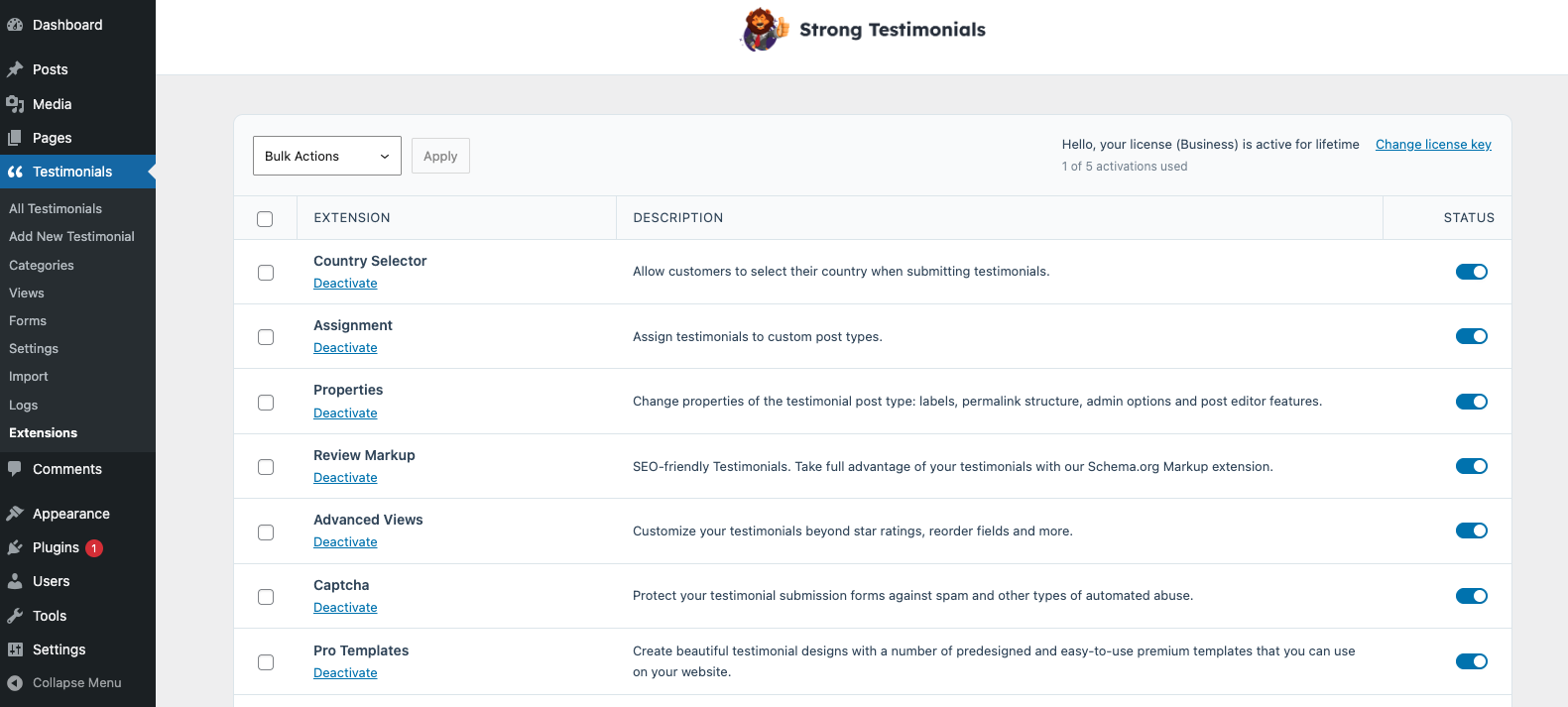
The Strong Testimonials Country Selector extension is a premium extension. In order to activate it, you will need to make sure that you have Strong Testimonials Pro installed and enabled, then also make sure that your license key is activated from Testimonials > Extensions. After confirming this, you only need to use the status switch from the extensions table to enable the feature.
How to use it?
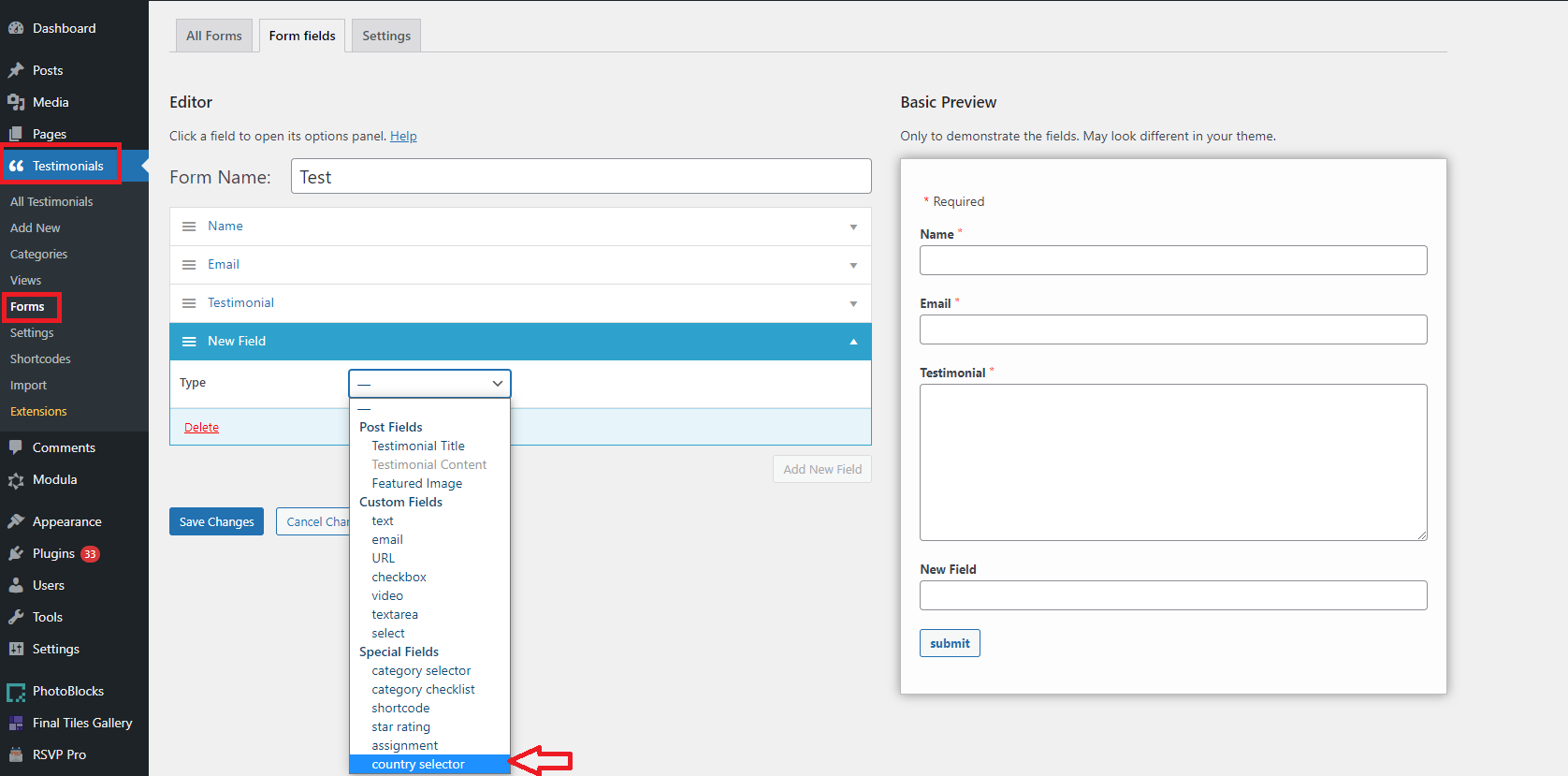
To use and enable it go to Testimonials > Forms > Add New > give a name to your Form > click on Add New Field > Type > Special Fields > Country Selector.
Once added the field you will be able to add a label, a name, and a placeholder. Users will be able to select from the drop-down list the country they are from.