
Upgrade your license from your account
You will need to go to your account page by clicking here. From there, you will be able to upgrade to another plan. For example, if you have the Basic plan and want to upgrade to Plus or Business, you can do so directly from your account by following the next steps.
Once you are in your account, you will see your user dashboard, and the “Upgrade” link is available next to the “Renew now” option.
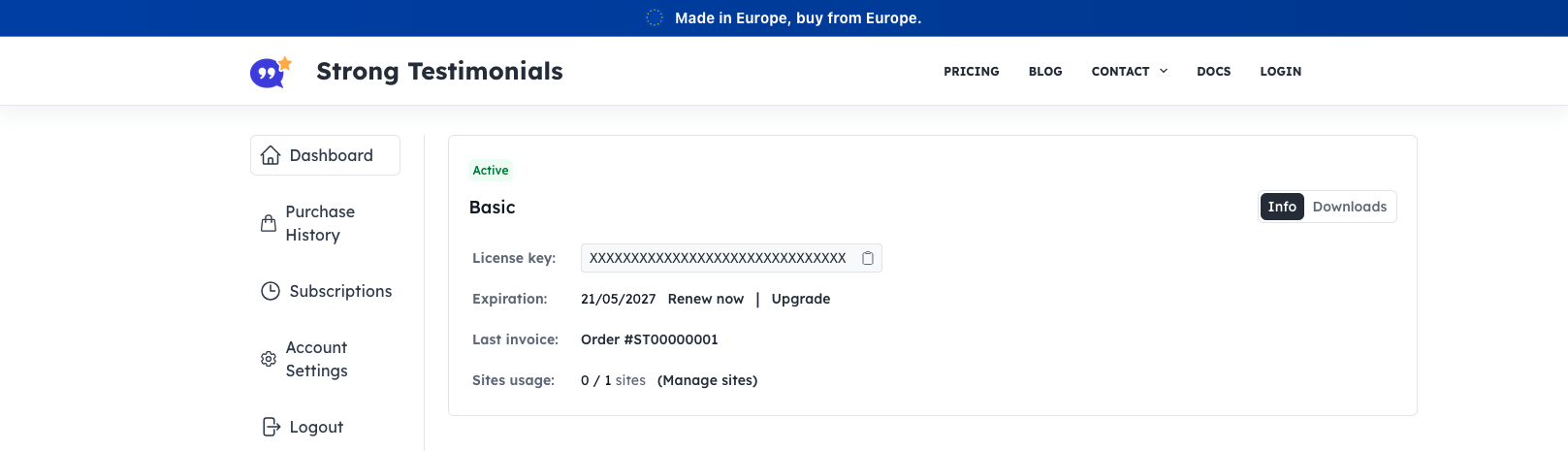
Clicking this will provide the upgrade options you have available.
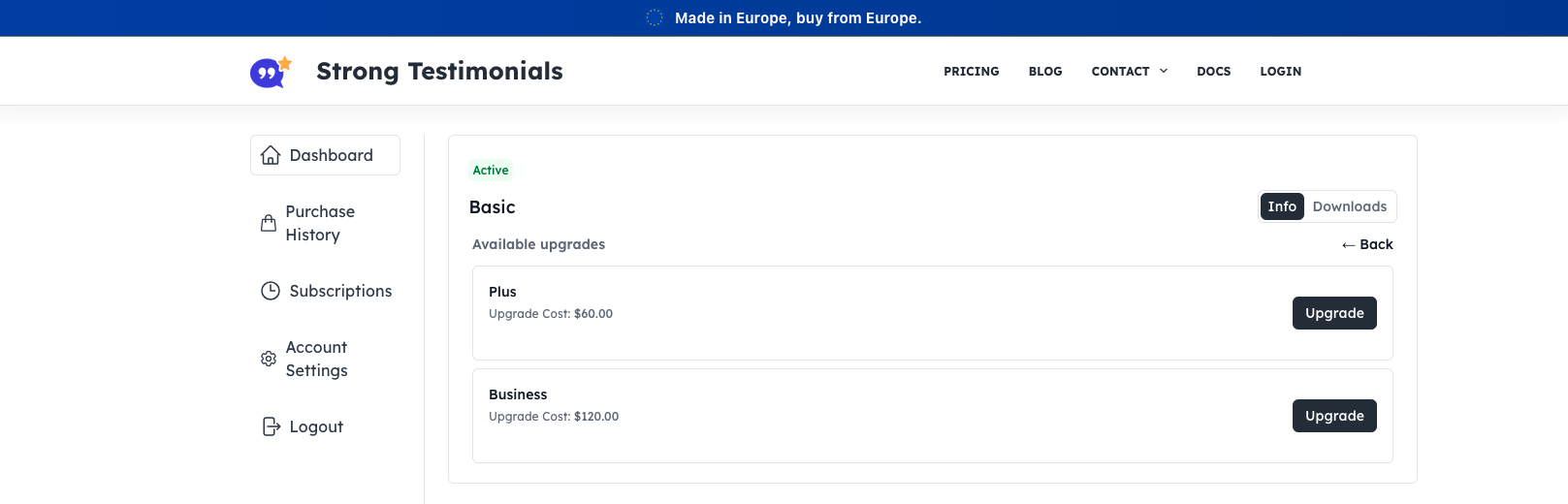
At the checkout, just make sure your payment details are correct and complete the transaction.
Downgrades are not currently possible. If you want to downgrade your plan you will have to wait for your subscription to expire and then purchase another plan.
Upgrade your license using an URL
Another way to upgrade is using this URL: https://strongtestimonials.com/pricing/?license=your_license_key
You will need to replace ‘your_license_key’ with your Strong Testimonials key > and then paste this URL in your browser’s address bar > hit Enter and you will see the pricing page with the upgrade options.
For each upgrade, you will only pay the difference between the 2 plans.
Upgrade your license through your WordPress dashboard
You can also upgrade your plan from the dashboard in WordPress. Just go to your WP dashboard > Testimonials > click on Extensions.
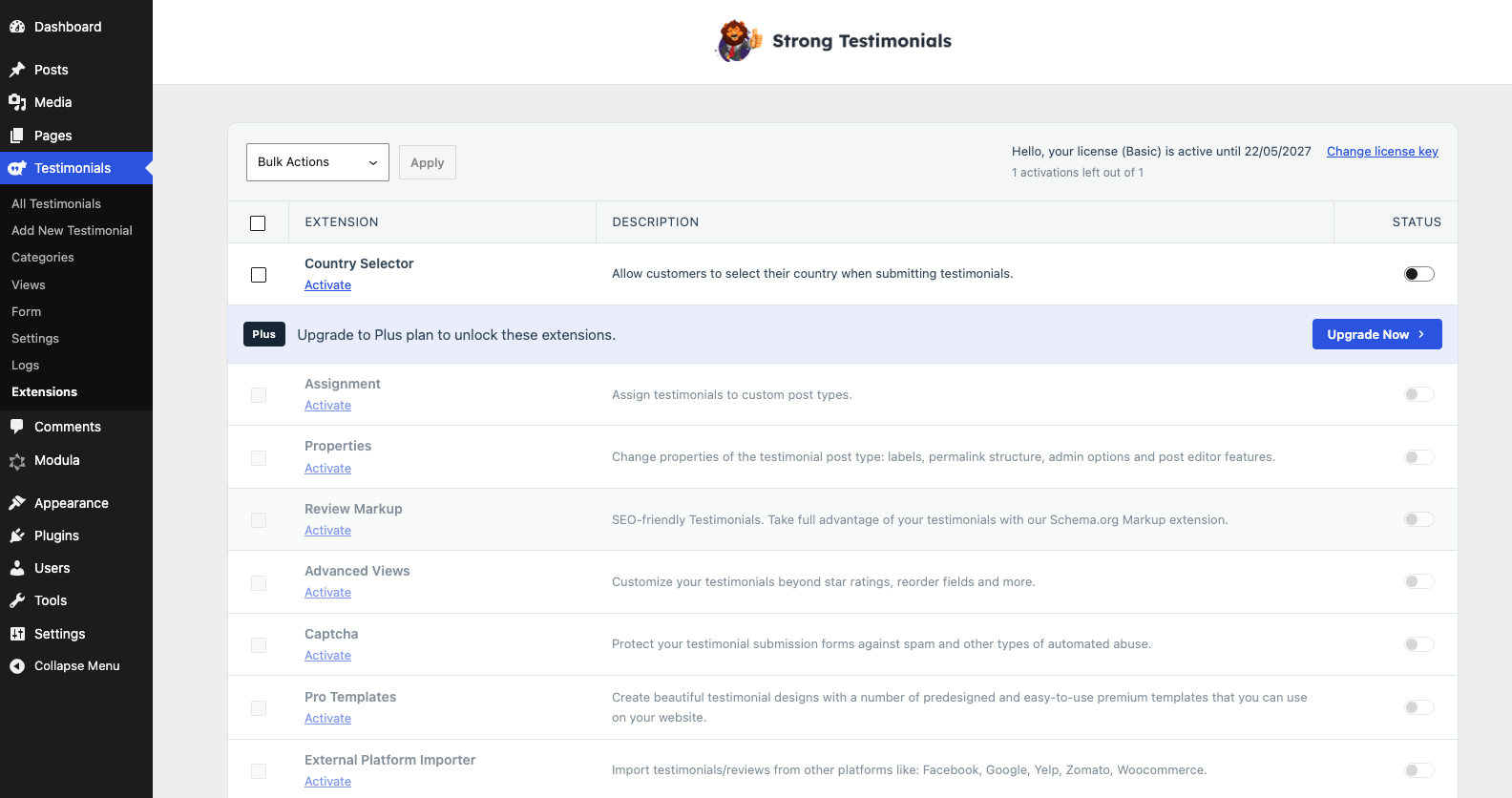
If you have a plan that can be upgraded (Basic/Plus) you will see the extensions to which you can upgrade to. You need to click the Upgrade Now button under the one you want in order to upgrade to a different plan.
After you click on the Upgrade Now button you will be automatically sent to the pricing list displaying your upgrade possibilities > choose the one you want to purchase and click Upgrade.