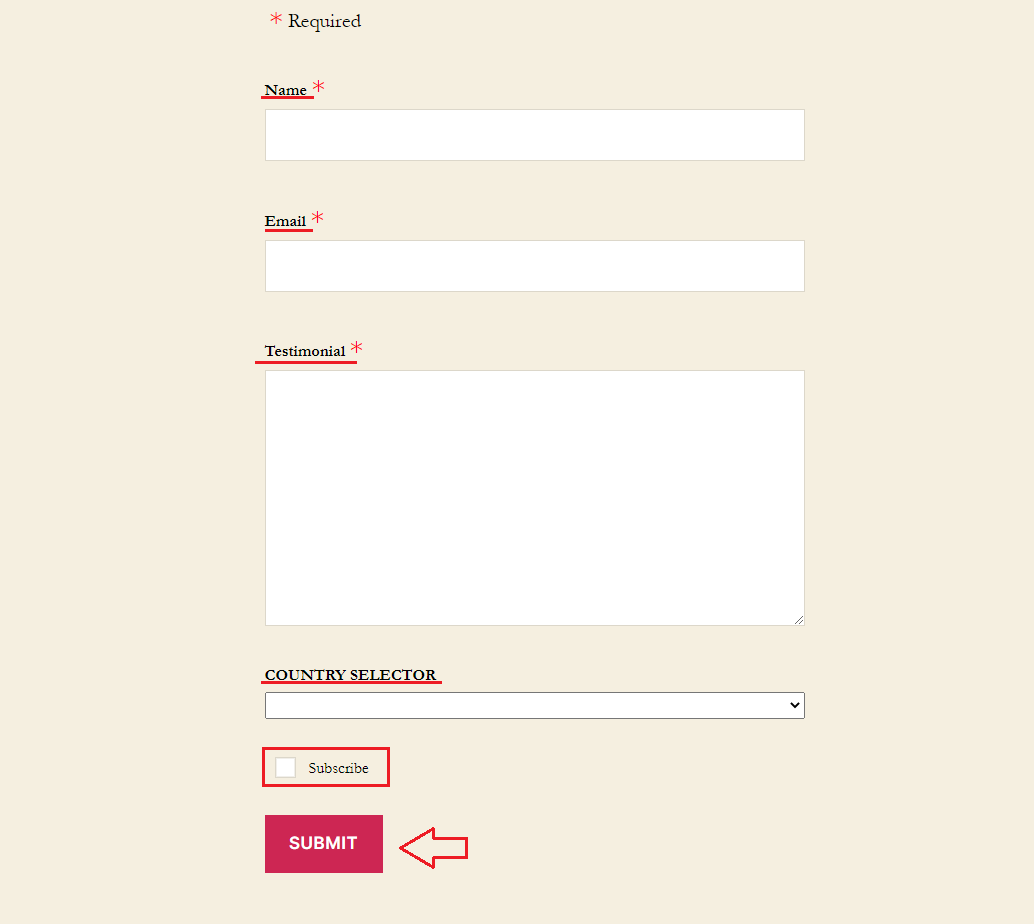
With this extension, you can automatically subscribe your users to a MailChimp email list. Follow up with a targeted message or a coupon to thank them for leaving a good review. Unlock even more marketing & automation potential.
How to activate it?
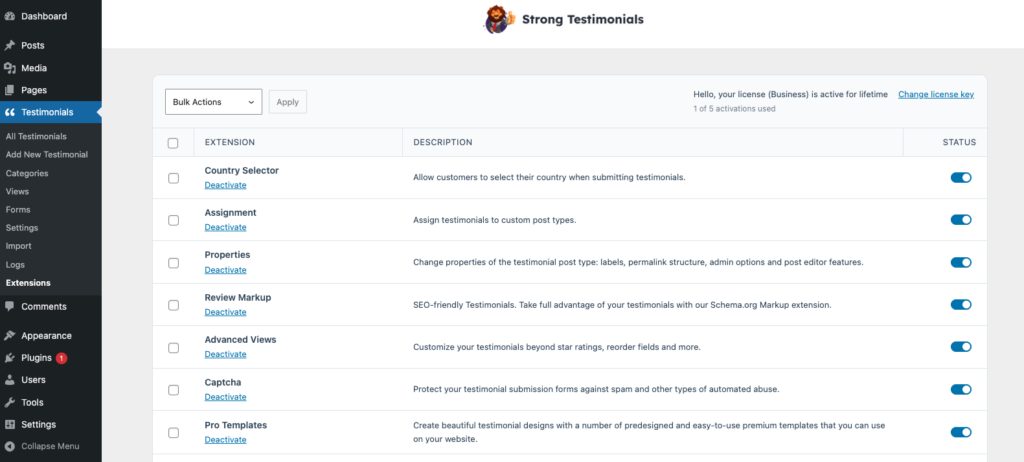
The Strong Testimonials Mailchimp extension is a premium extension. In order to activate it, you will need to make sure that you have Strong Testimonials Pro installed and enabled, then also make sure that your license key is activated from Testimonials > Extensions. After confirming this, you only need to use the status switch from the extensions table to enable the feature.
How to use it?
After you make sure you inserted the API key in Testimonials > Settings > Mailchimp, you can use the extension. Learn how to get a MailChimp API key.
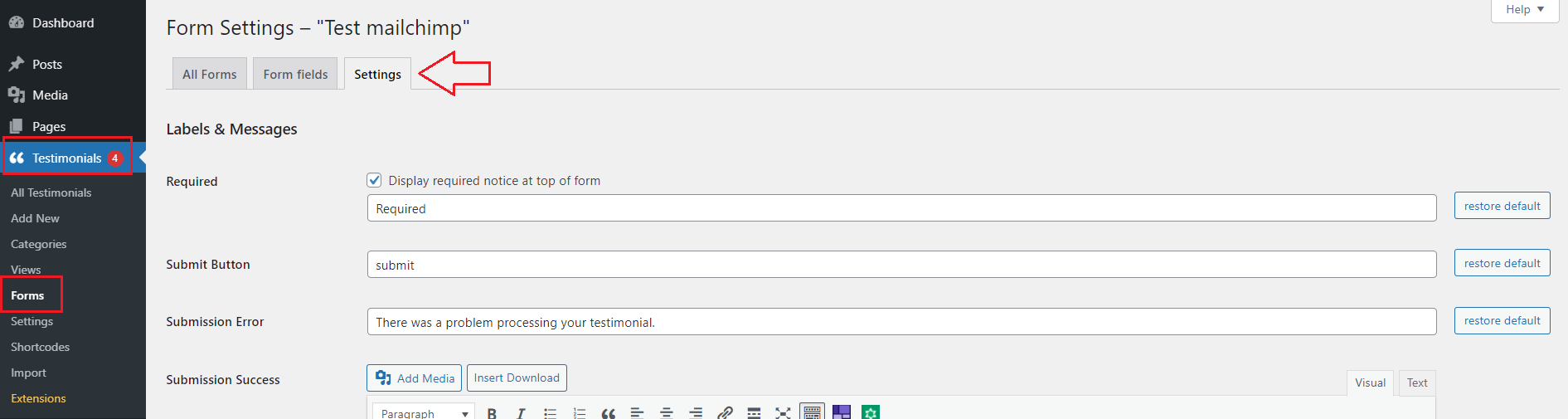
You need to go to your WP dashboard > Testimonials > Forms > Edit > Settings > Scroll down to Mailchimp > Enable Mailchimp > add a Subscription message > select a Mailchimp list from the dropdown list > Save changes.

After you made these settings you need to create a View. Go to Testimonials > Views > Add new > Mode: Form > Multiple Forms > Use form > select the form you created where you enabled Mailchimp > set the settings you need > Save changes.
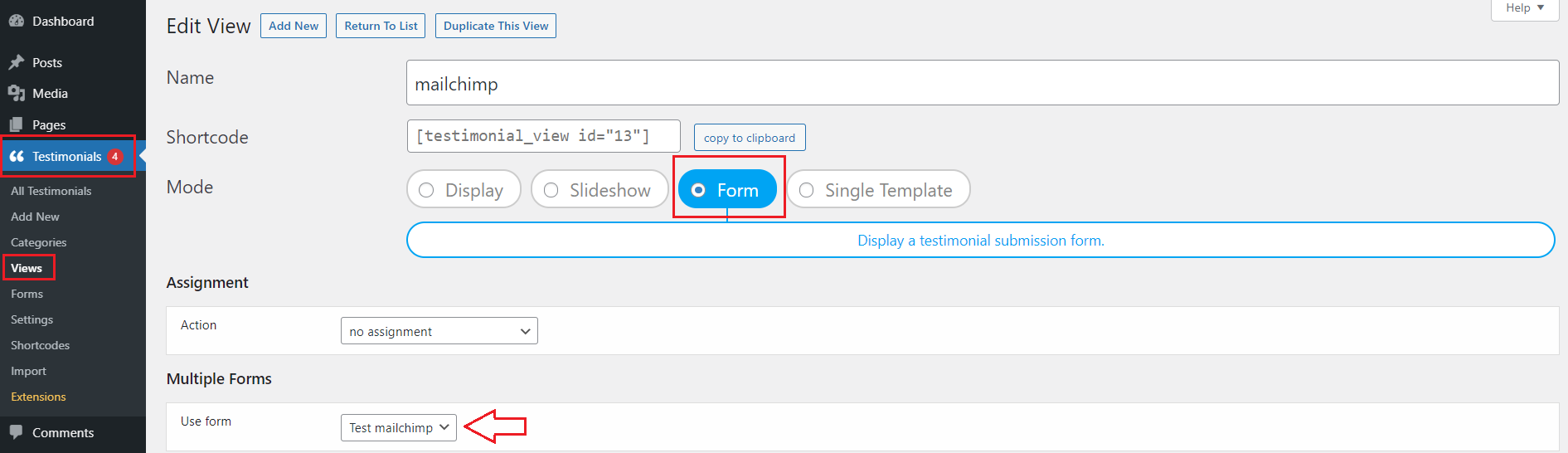
After this all you need to do is copy the shortcode > go to your WP dashboard > Pages > Add New > insert the shortcode > Publish.
On the front-end, the Form will be displayed. After the users enter their details > check the ‘Subscribe‘ box > Submit > their details will be saved in Mailchimp.