
This extension allows users to create categories to group testimonials and to have users read reviews grouped by service/product type.
How to activate it?
The Strong Testimonials Filters extension is a premium extension. In order to activate it, you will need to make sure that you have Strong Testimonials Pro installed and enabled, then also make sure that your license key is activated from Testimonials > Extensions. After confirming this, you only need to use the status switch from the extensions table to enable the feature.
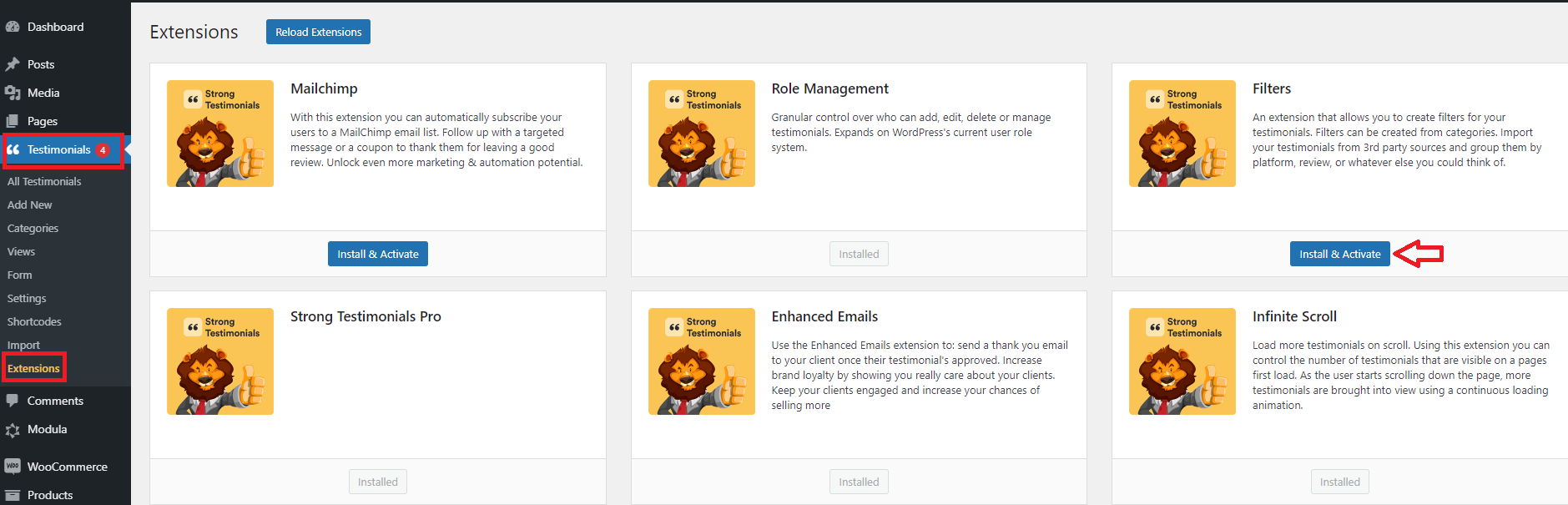
How to use it?
To use and enable it go to Testimonials > Views > Edit a view > scroll down to Filters > Enable filters. After you checked that box you will see that a lot of options will appear under.
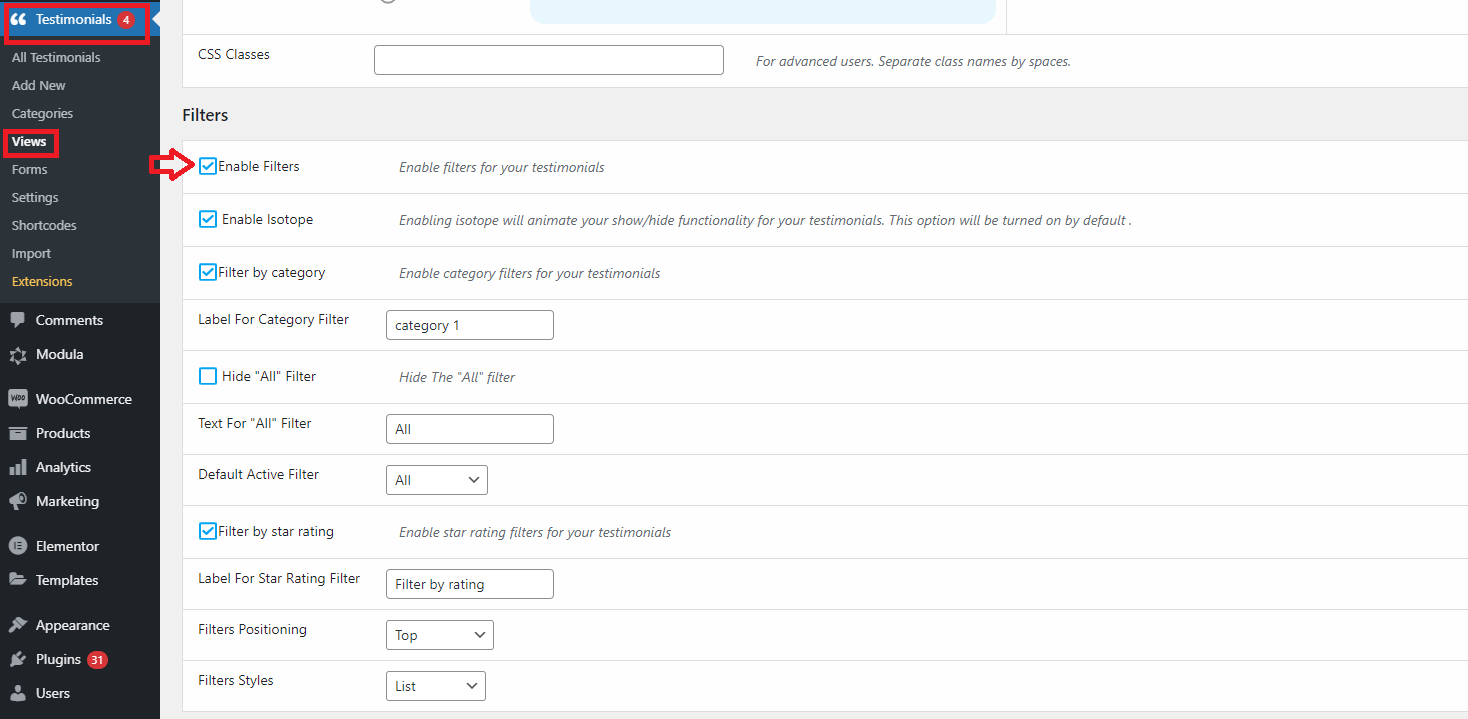
Enable isotope: Enabling isotope will animate your show/hide functionality for your testimonials. This option will be turned on by default .
Filter by category: Enable category filters for your testimonials. You can also set a label for category filter
Hide “All” Filter: Hide The “All” filter. Here you can also set a text for “all” filter and a default active filter.
Filter by star rating: Enable star rating filters for your testimonials. You can also set a label for star rating filter
You can set the filters positioning:
- Top
- Bottom
- Top/Bottom
You can set the filters style:
- List
- Drop-down