Installation
Shortly after purchasing Strong Testimonials Pro, you’ll receive an email with a purchase receipt.
When making a purchase, an account is created automatically for your email. Just log in to your account here > then go to the Dashboard section, and switch to the “Downloads” view using the small toggle.
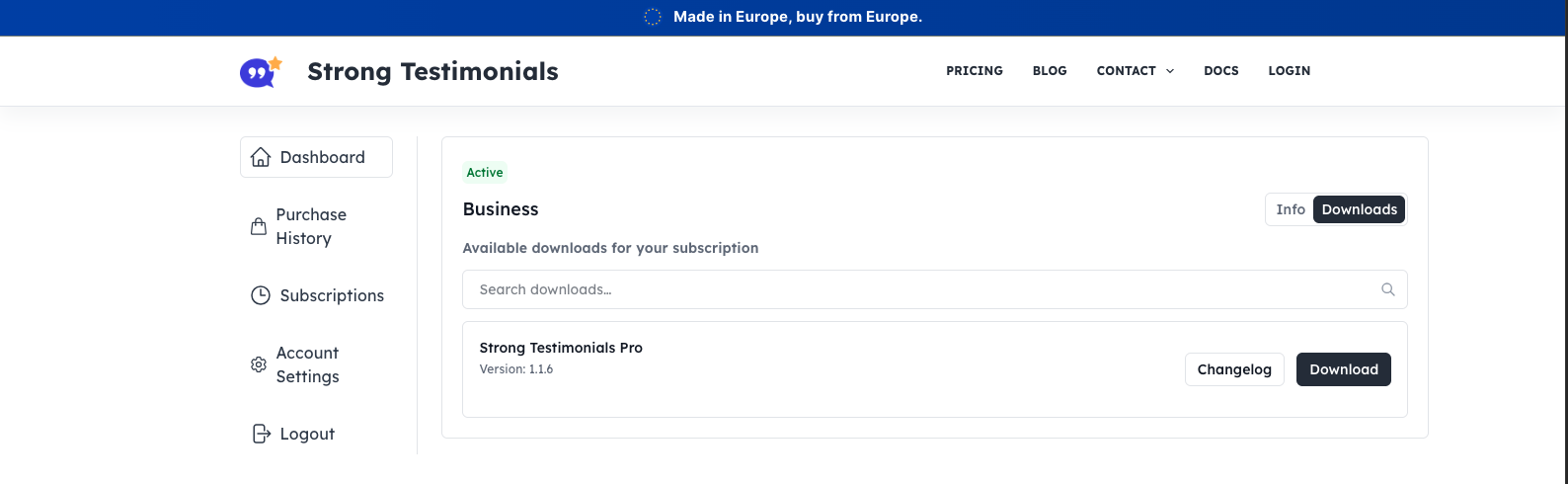
Please keep in mind: if you are using the browser Safari on a Mac when you download the zip file it extracts the file from the archive directly to your computer (you might only see the file folder with the plugin’s files in it, instead of the zip). If that is the case, then try and download the zip from your account using a different browser, or check your Trash, as the zip file should be there. To learn how to prevent Safari from unzipping files please follow this tutorial.
License activation
Once you install Strong Testimonials Pro, you’ll need to activate your license to ensure that you have access to automatic updates and premium add-ons.
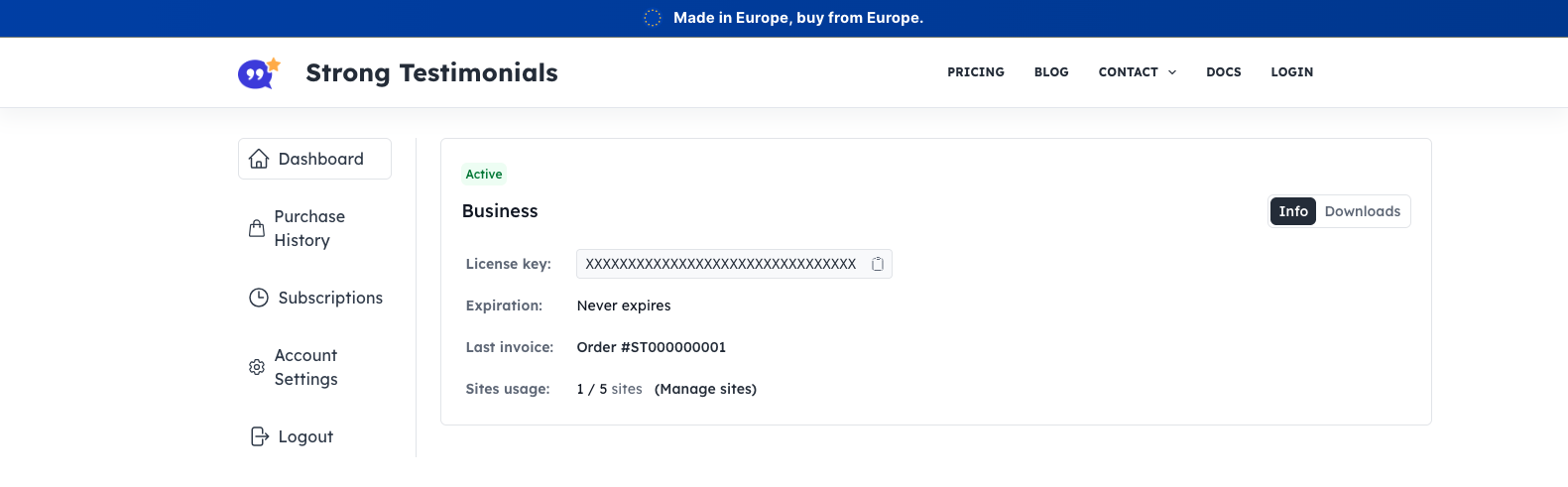
To activate your license key, copy it from the purchase confirmation email or your Strong Testimonials account. Just make sure to use the small toggle to view the “Info” section.
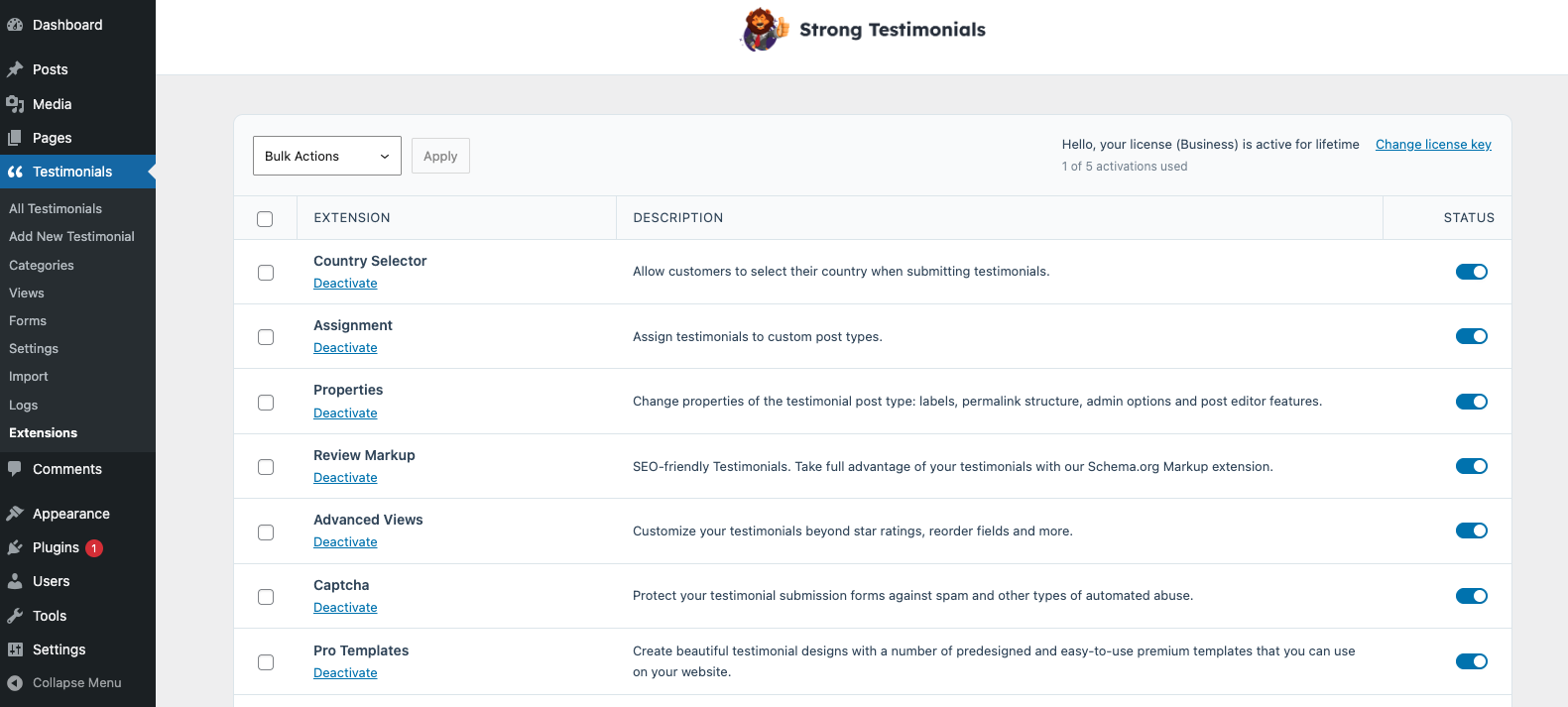
In your WP Dashboard, head over to Testimonials > Extensions and add the license key.
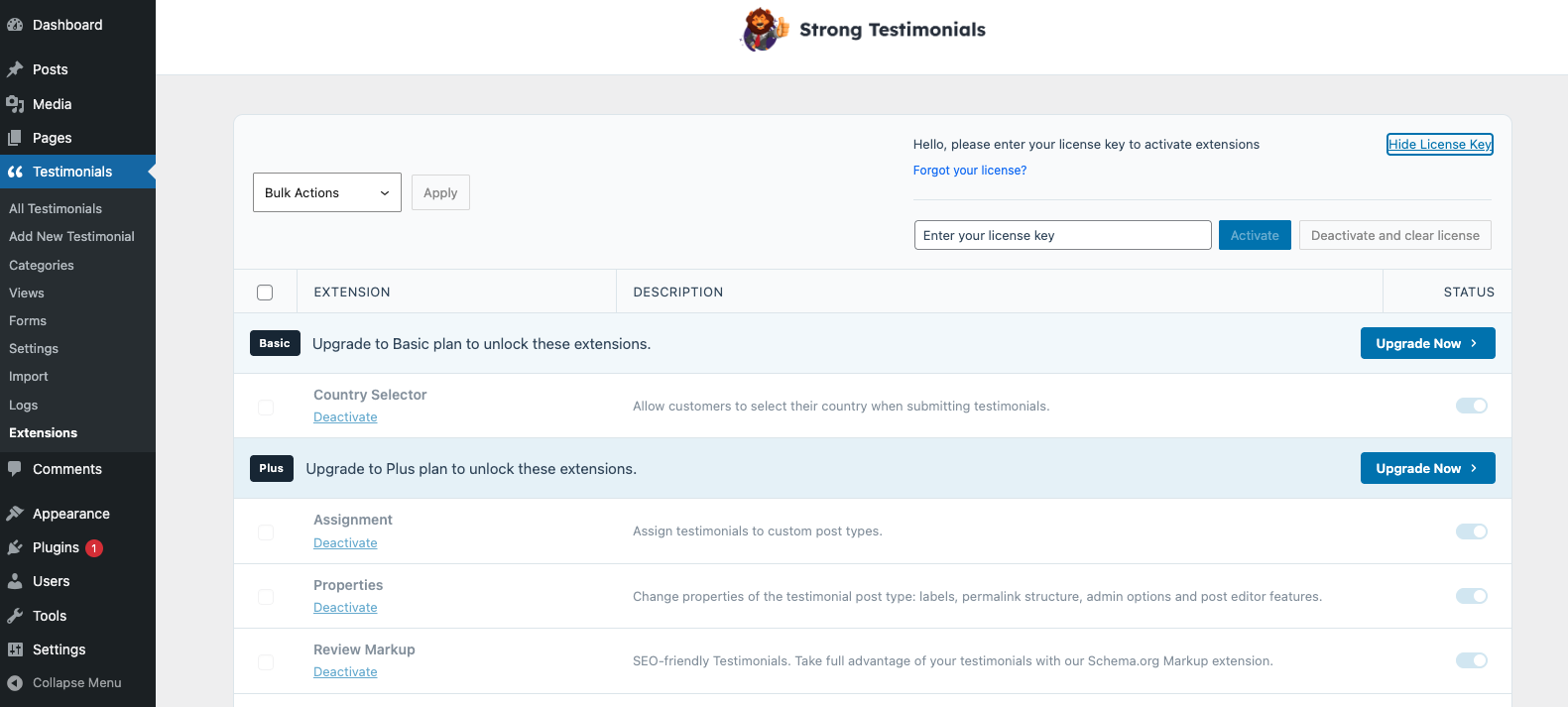
To enable any of the premium add-ons that you have access to based on your purchased Pro plan, head to your WP dashboard > Testimonials > Extensions > and make sure that your license key is activated (top-right corner). Afterwards, just use the table displayed here to switch on the desired add-ons.