We’ve been working on a major update for Strong Testimonials, focused on making the plugin easier to use, easier to manage, and more consistent across the board.
This update is all about simplifying the experience without taking away the flexibility users rely on.
Here’s what’s new.
Add-ons Are Now Included in Strong Testimonials Pro
Until now, unlocking more advanced functionality often meant installing and managing separate add-ons.
That changes with this update.
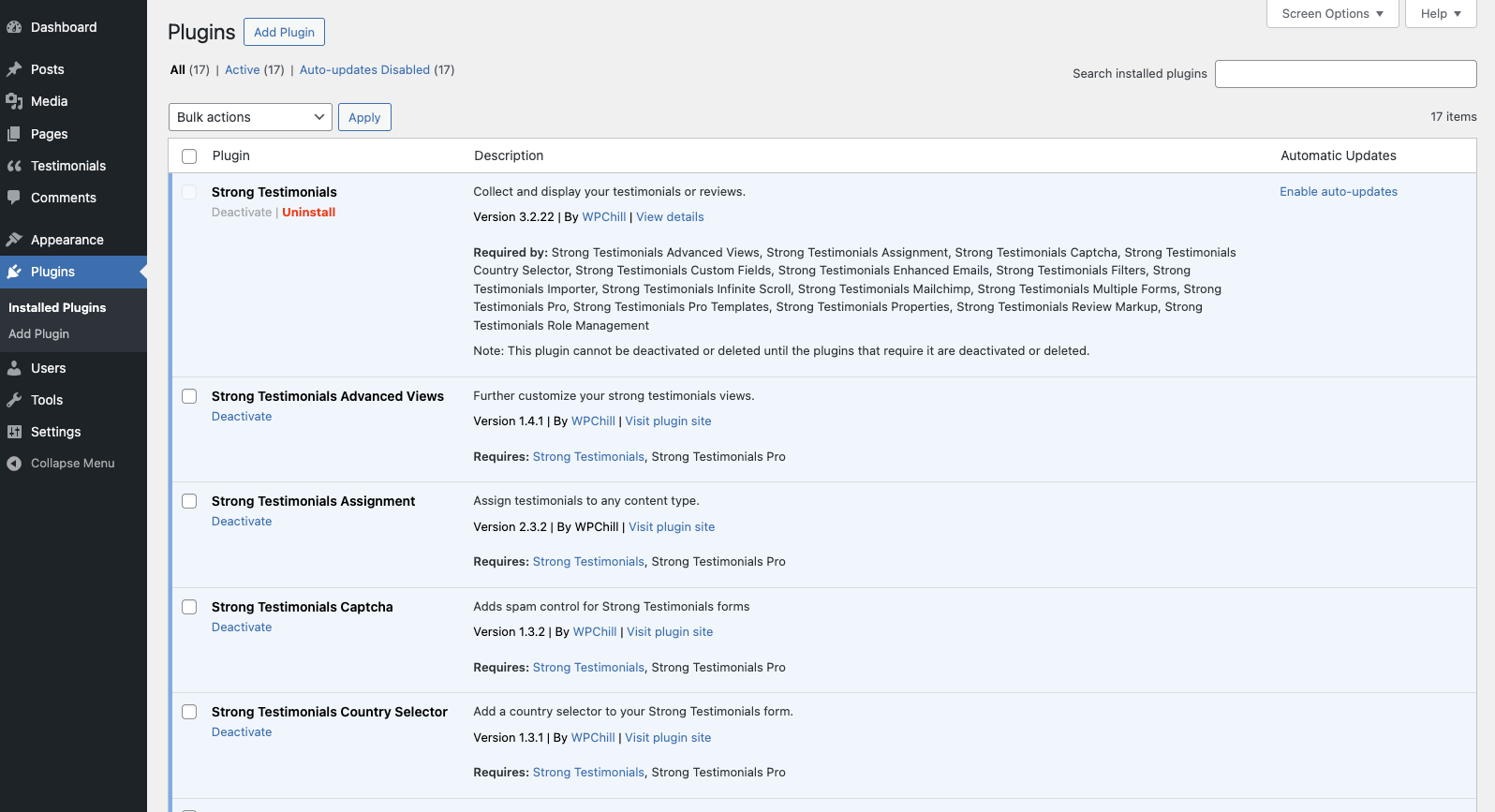
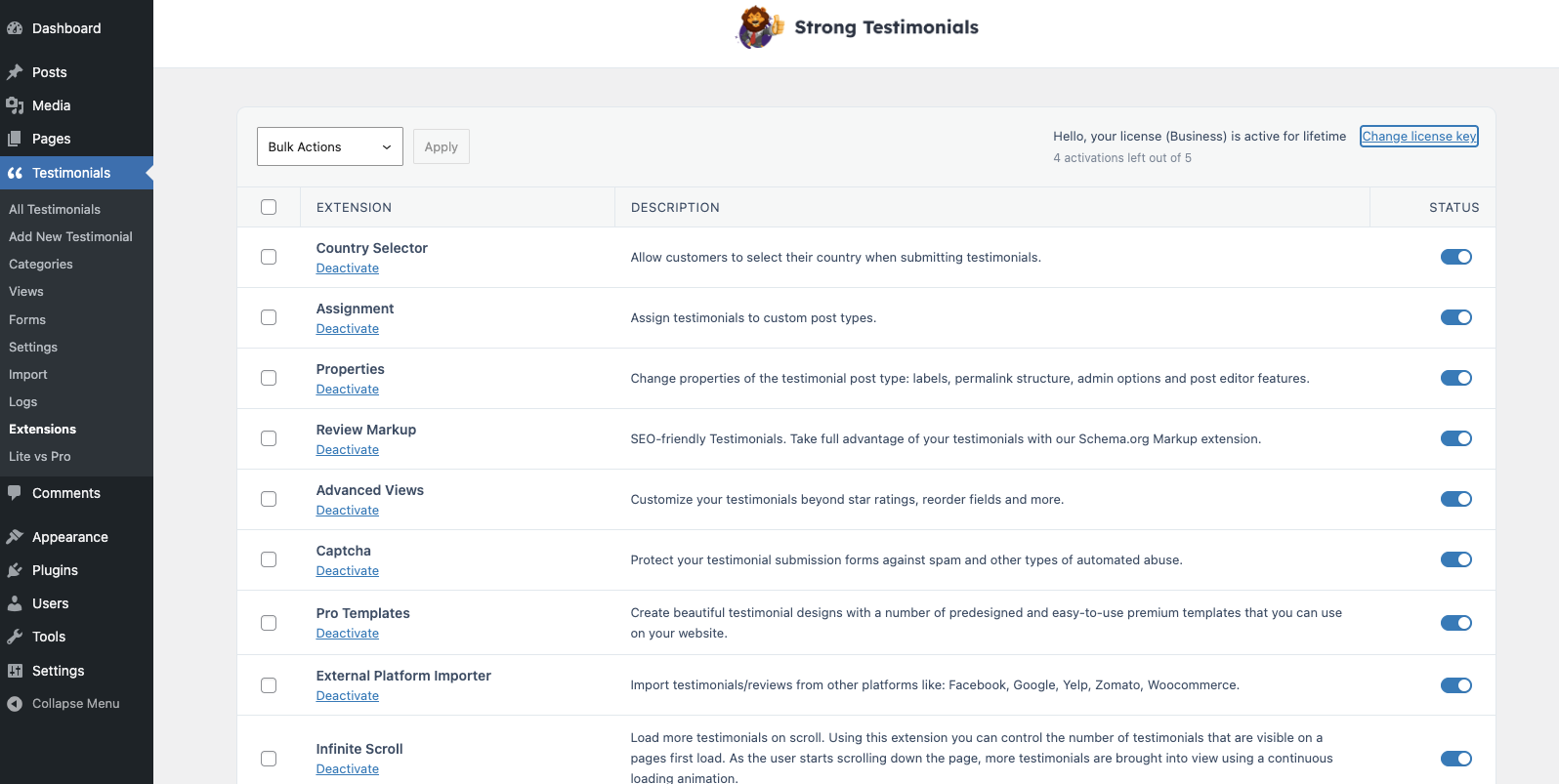
All available add-ons are now included directly in Strong Testimonials Pro, making setup and day-to-day usage much easier. Going from this long list (17 items):
to this:
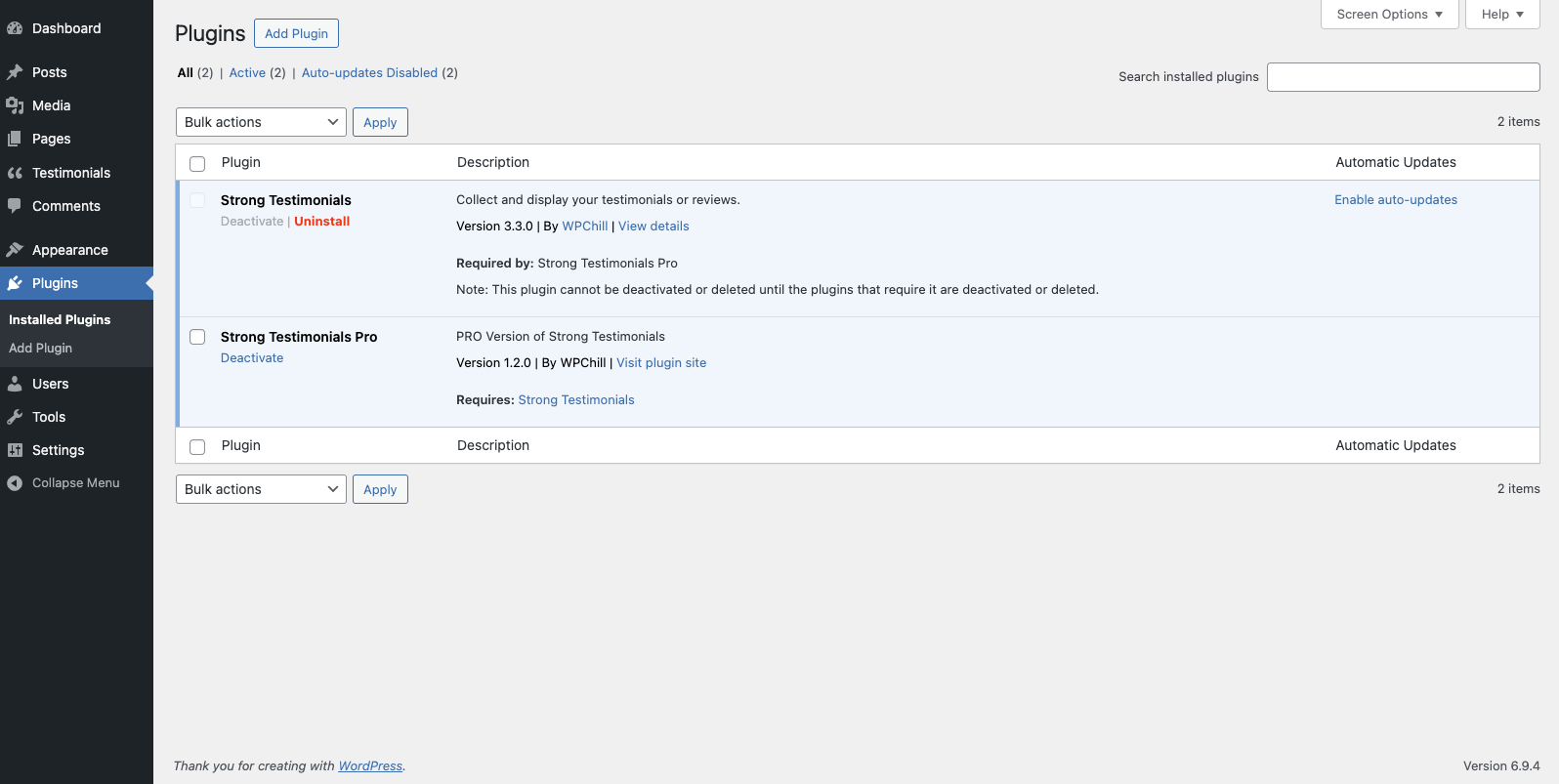
– No more managing multiple plugin installs
– No more updating each add-on at a time
Once your Strong Testimonials Pro license is active, the features available for your plan are ready to use in a much cleaner and more unified way.
A simple table layout and an On/Off switch are all it takes to enable add-ons from the Extensions section.
A Refreshed Settings Experience
We also took a fresh look at the plugin’s settings area. Out went the old look:
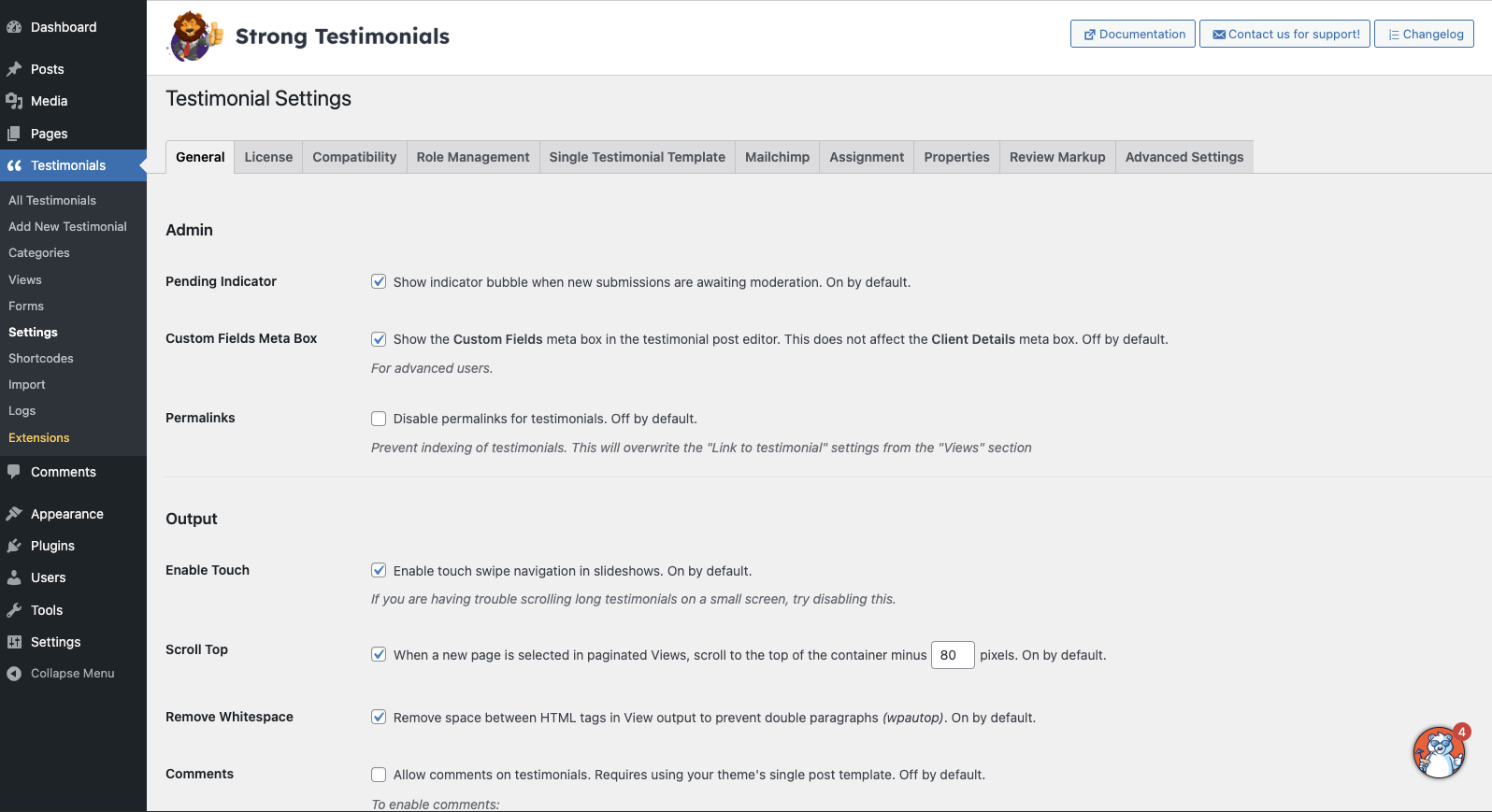
And in came the new, improved settings:
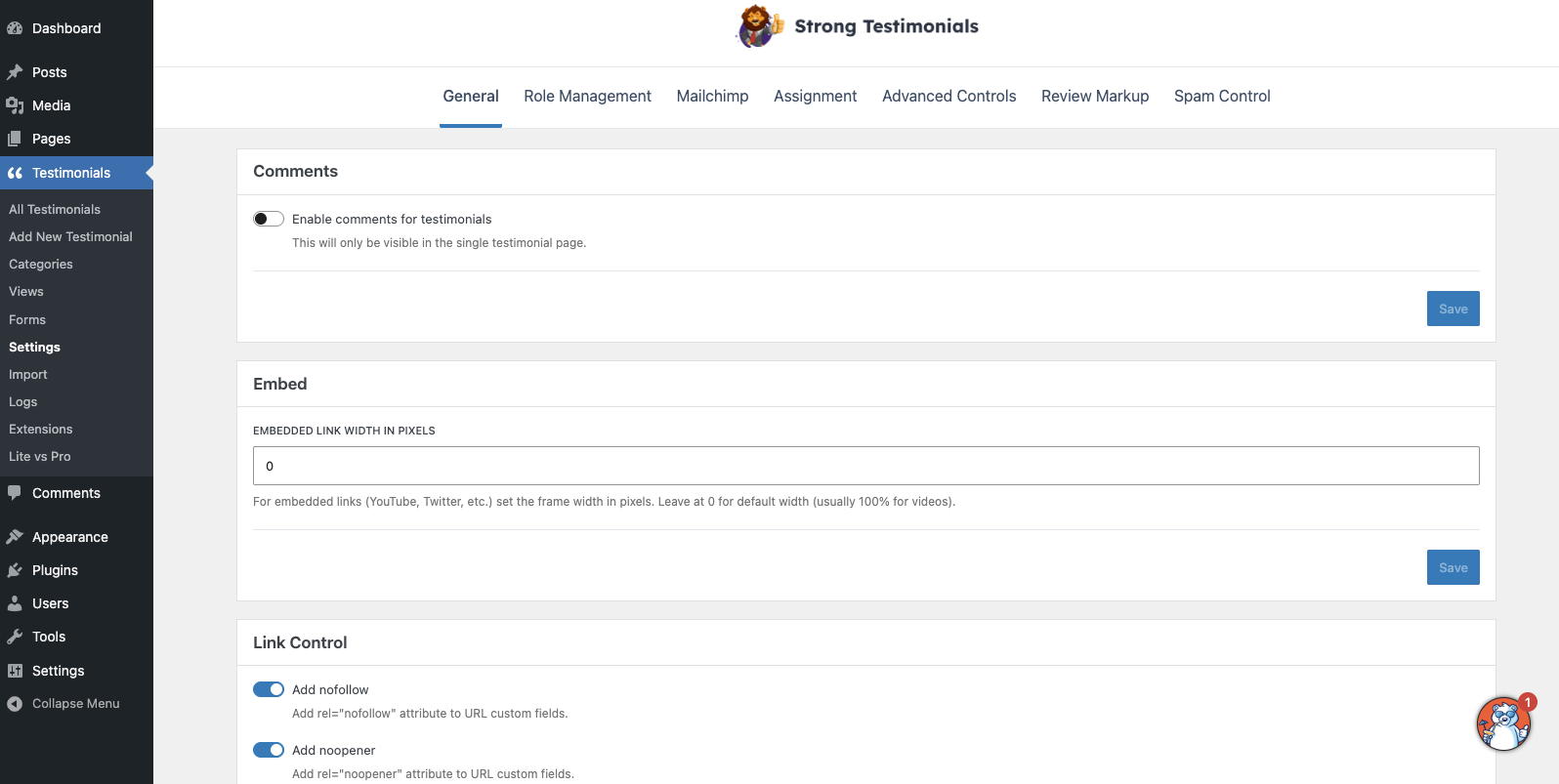
Whether you’re setting up Strong Testimonials for the first time or updating an existing site, the new settings area should feel much easier to use.
Extensions Section Rework
The Extensions section has also been reworked to make it easier to use.
Instead of feeling like a long grid of disconnected pieces, the updated experience is more structured and easier to understand. This makes it simpler to see what is available, what is already active, and allows you to instantly activate the extra functionality.
Retired Legacy Settings
This update wasn’t just a visual or organizational change.
Behind the scenes, we also:
– Updated the overall code structure
– We refined the internal functionality
– Improved long-term stability and maintainability
At the same time, we removed older options that no longer fit the current product direction or were adding unnecessary complexity.
How to Properly Update to the New Version
Because this is a major update, we strongly recommend following these steps to ensure everything runs smoothly:
– Create a full backup of your website
– Update Strong Testimonials Lite to the latest available version
– Update Strong Testimonials Pro to the newest version
– If you previously used separate add-ons, check that everything is working correctly after the update (collection forms and testimonial displays)
– Once everything looks good, you can safely remove older add-on installs since they are no longer needed
A quick round of testing after the update is always a good idea, especially on sites with more advanced setups.
If you do happen to encounter any errors after the update, just perform a hard refresh on the page (to clear up any kinks for a first update).
Need Help? We’re Here for You
We’ve tested this update extensively and are confident everything will work smoothly, but if anything doesn’t behave as expected, we’re ready to help.
Please reach out to us through our contact form here:
https://strongtestimonials.com/ask-for-help/